
1. Log into your account on the VINlocity Carrier app.
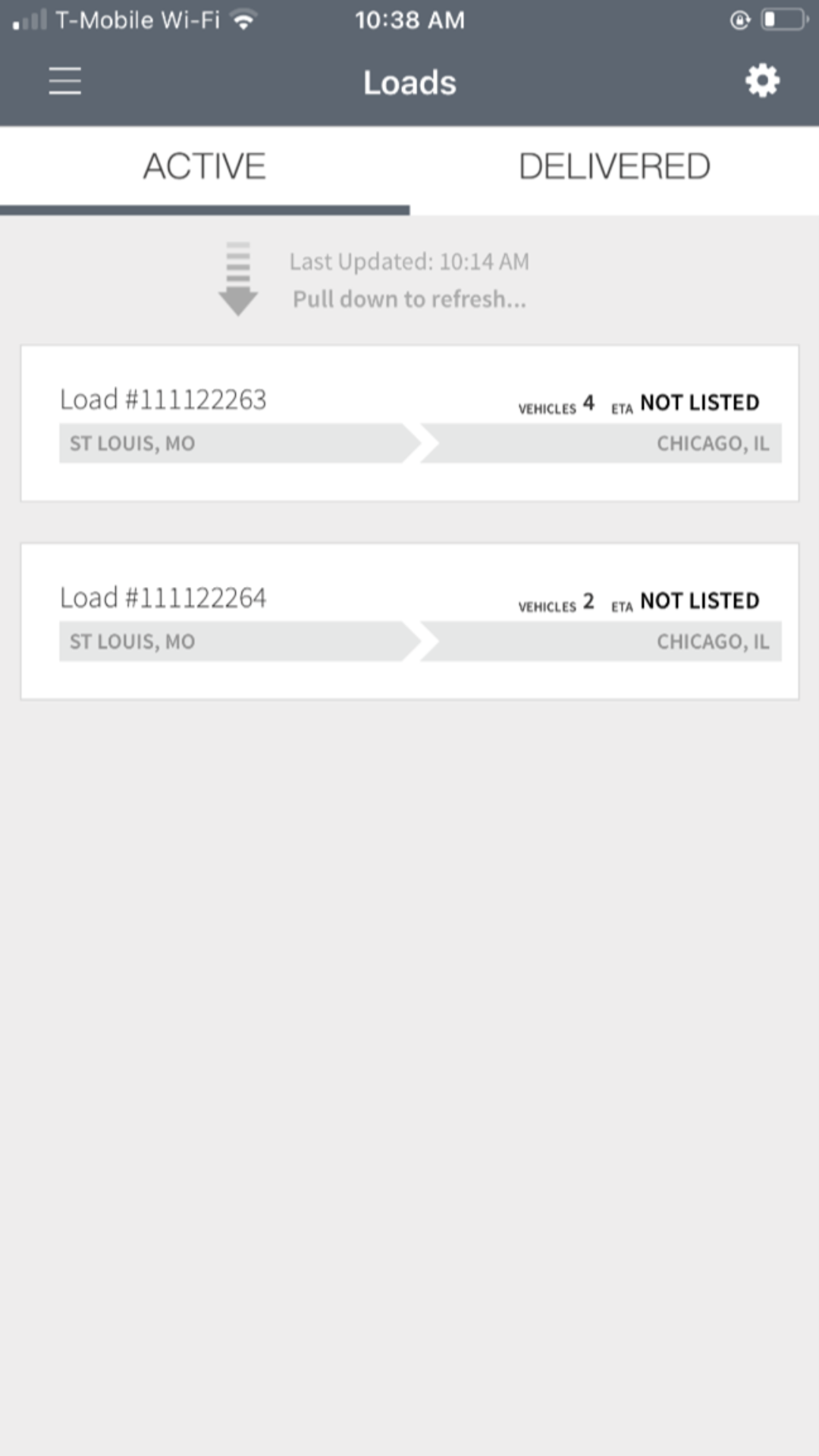
2. Select the relevant Active load.
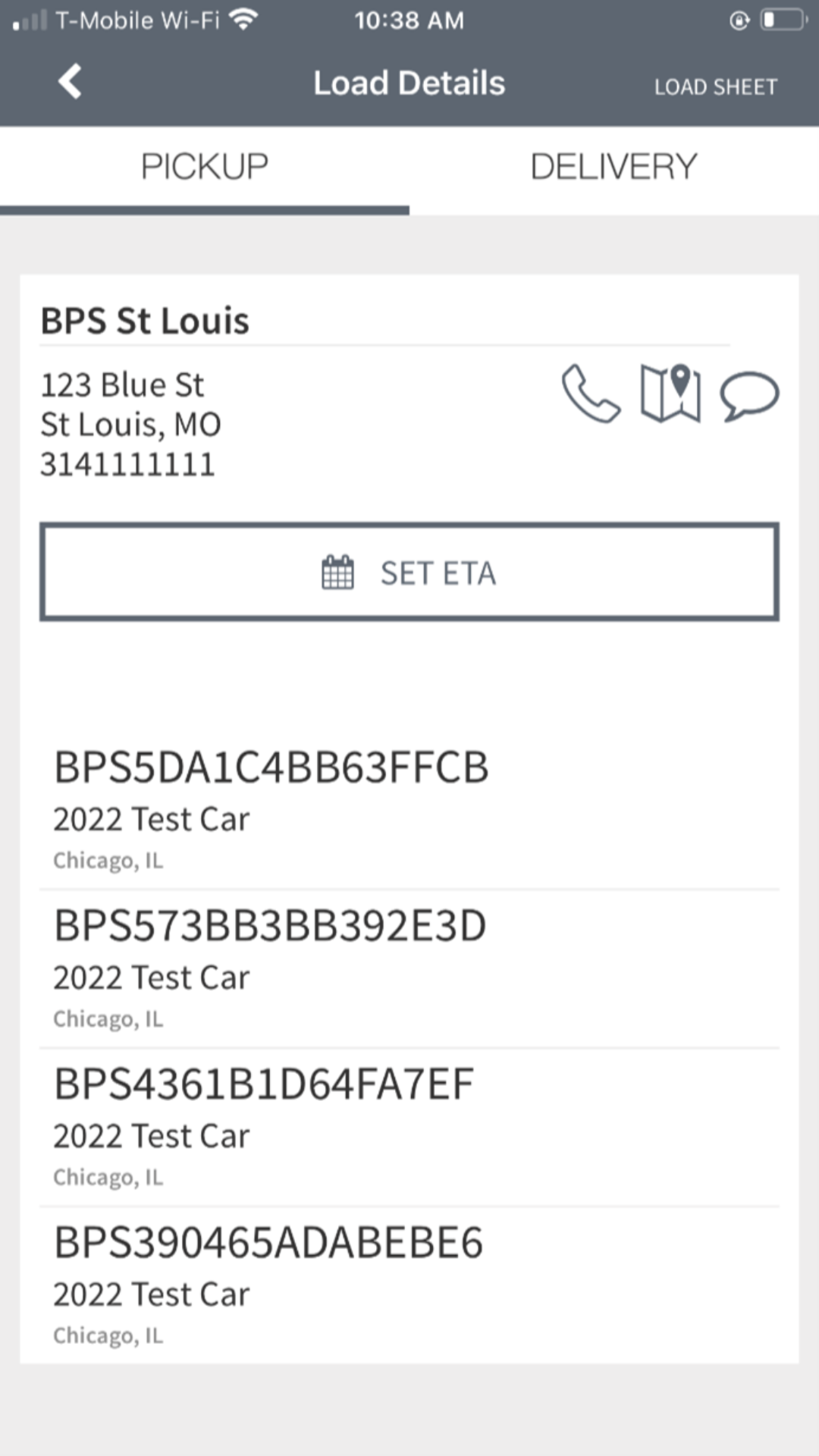
3. Under the Load Details, select the relevant vehicle (that is unavailable for pickup).
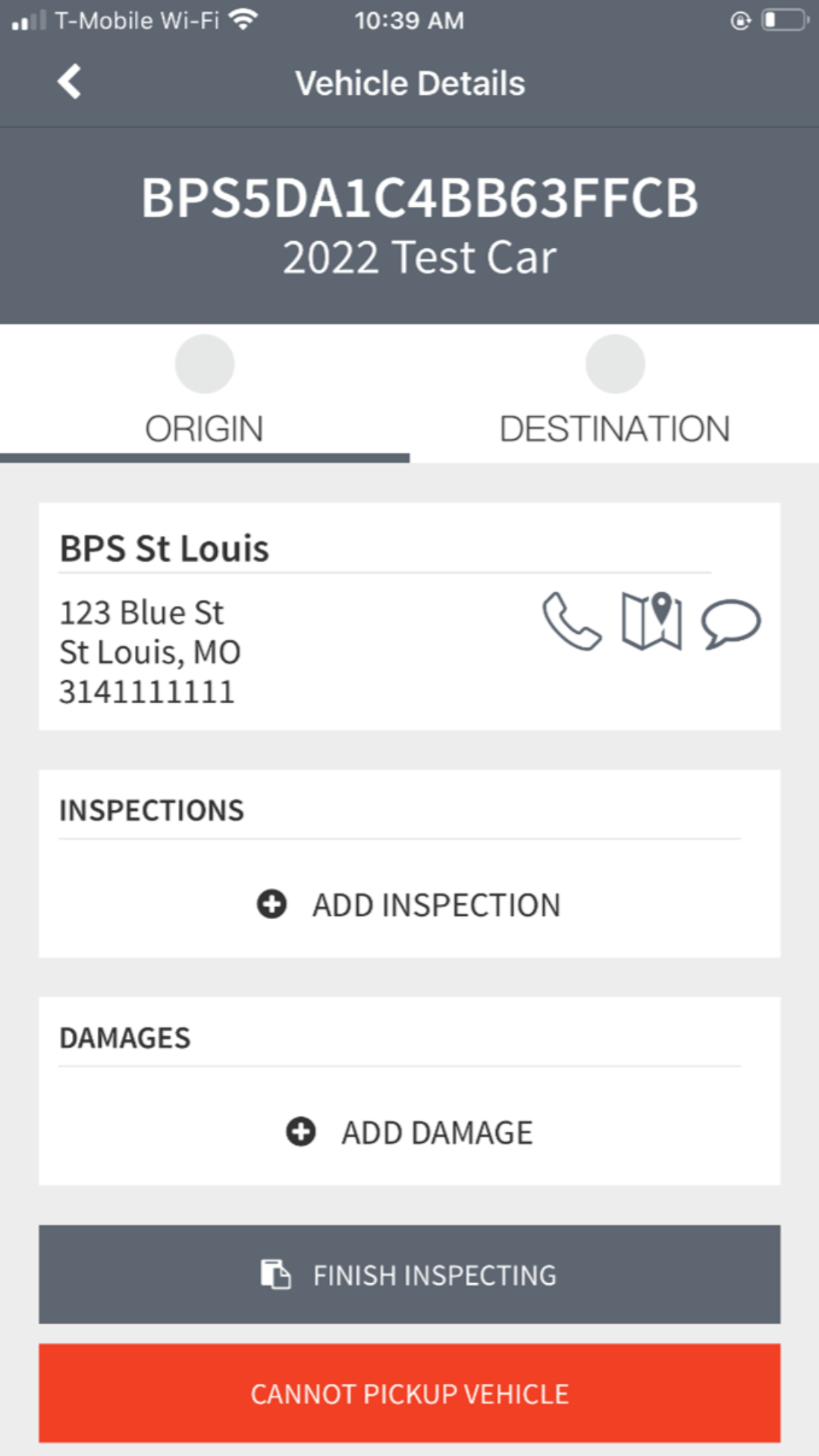
4. Once on the Vehicle Details page, select “Cannot Pickup Vehicle” (red button).
5. A window will pop up. Type out the reason why you cannot pickup the vehicle. (Examples include Inoperable, Unit Not at Location, Missing Gate Pass or Missing Bay Location). Then hit the button that says “Remove.”
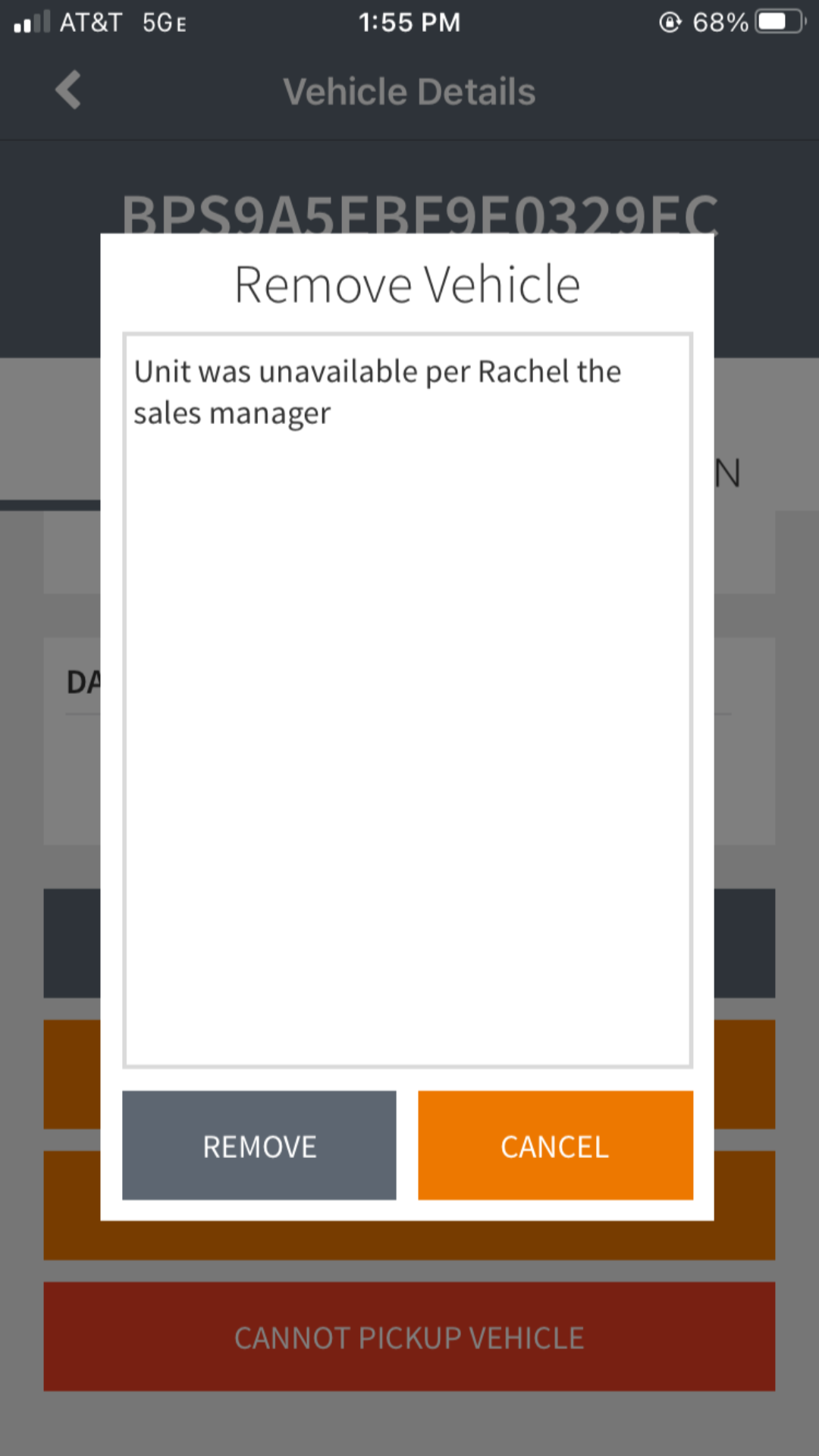
6. After you hit the “Remove” button, a message is automatically sent to the dispatch team.
Comments
0 comments
Please sign in to leave a comment.